

Interface Message
After you create a temporary channel, you are the owner of that channel and can change the properties of your channel and manage users through an interface. With an interface you simply click buttons.
To send the interface automatically to each new channel instead, see TempVoice Interface for In-Voice Chat.
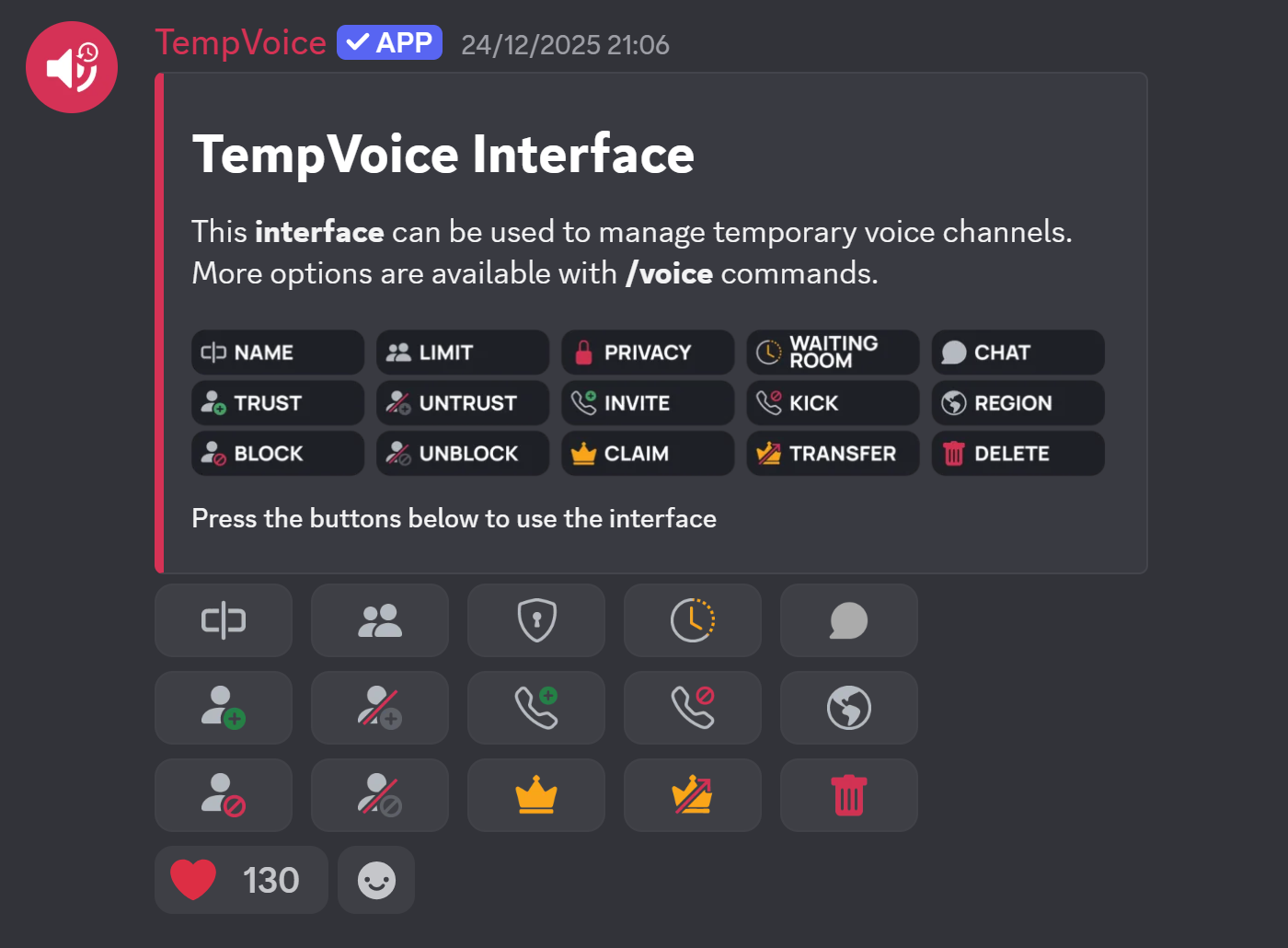
| Icon | Label | Equivalent Chat Command |
|---|---|---|
 | NAME | /voice name |
 | LIMIT | /voice limit |
 | PRIVACY | /voice privacy |
 | WAITING ROOM | /voice waiting |
 | CHAT | /voice thread |
 | TRUST | /voice user trust |
 | UNTRUST | /voice user untrust |
 | BLOCK | /voice user block |
 | UNBLOCK | /voice user unblock |
 | INVITE | /voice user invite |
 | KICK | /voice user kick |
 | REGION | /voice region |
 | CLAIM | /voice claim |
 | TRANSFER | /voice transfer |
 | DELETE | /voice delete |
 | BITRATE | /voice bitrate |
 | INFO | /voice info |
 | RESET | /voice reset |