

How to use Placeholders?
Placeholders are replaced with valuable information to make channel names or welcome messages more personal to the user.
The power of placeholders
This video is hosted on YouTube. Loading it sends data such as your IP address to Google. See our Privacy Policy.
How to use placeholders in the dashboard?
Using placeholders is easy. Click the { } button and you will see all available placeholders for that option.

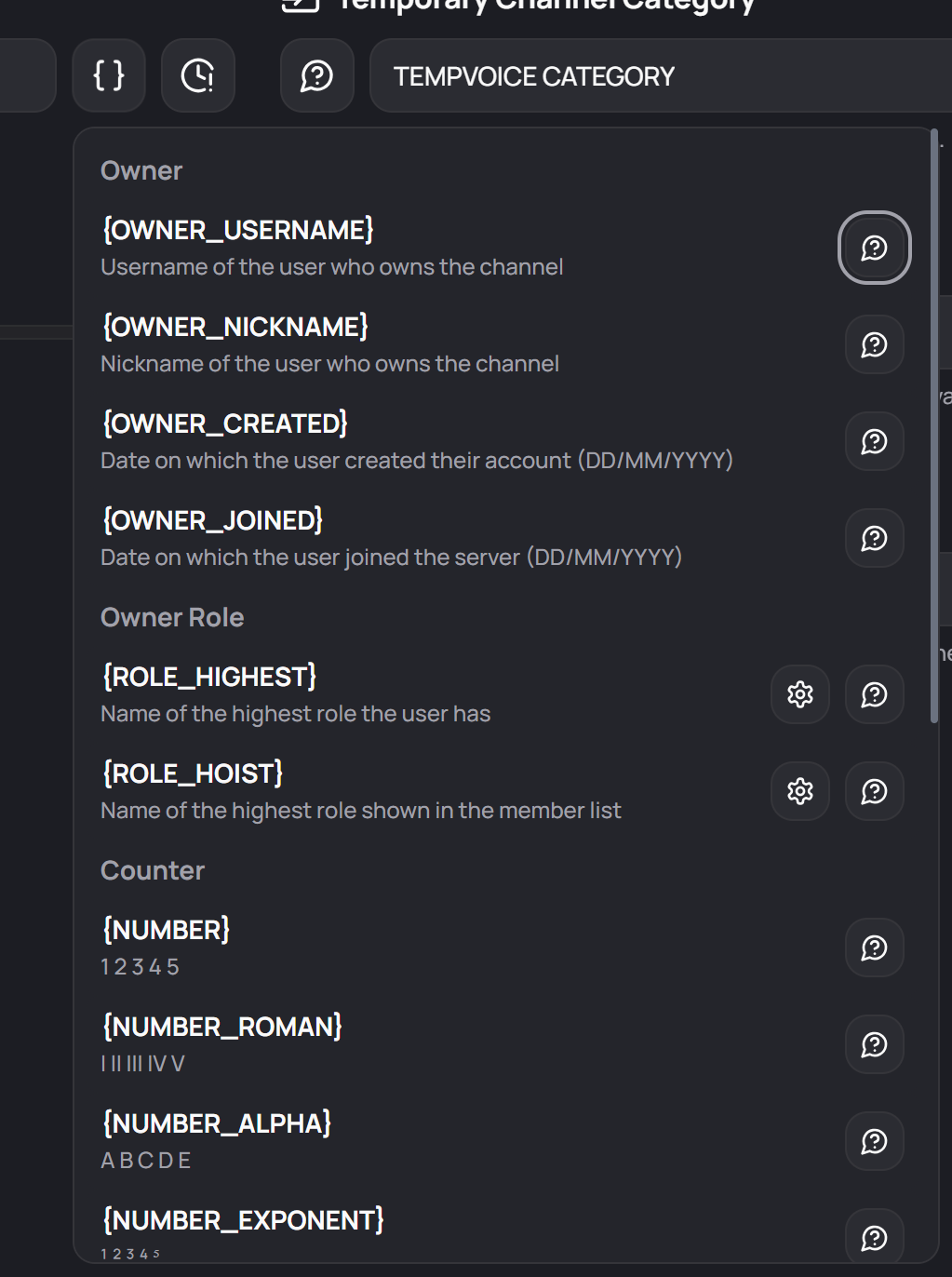
Where can I use which placeholder?
Placeholders work in three settings: the Temporary Channel Name, the Waiting Room Name and the Temporary Channel Greeting. Not every placeholder makes sense everywhere:
| Placeholder | Channel Name | Waiting Room Name | Greeting |
|---|---|---|---|
| {CUSTOM} | ✓ | ||
| {PRIVACY} | ✓ | ||
| {RANDOM} | ✓ | ✓ | ✓ |
| {OWNER_USERNAME}, {OWNER_NICKNAME} | ✓ | ✓ | ✓ |
| {OWNER_CREATED}, {OWNER_JOINED} | ✓ | ✓ | ✓ |
| {OWNER_MENTION}, {OWNER_ID} | ✓ | ||
| {NUMBER} and its variants | ✓ | ✓ | ✓ |
| {ROLE_HIGHEST}, {ROLE_HOIST} | ✓ | ✓ | ✓ |
| {GUILD_ID}, {CHANNEL_ID} | ✓ | ||
| {ACTIVITY_...} (Your Own Instance only) | ✓ |
Channel names are cut off after 100 characters, and words blocked by Censor Channel Names are censored after the placeholders are replaced.